AI Hub Configuration
Short guide to send Xianix execution metrics to 99x AI Hub via raise-events in rules.json.
You will not look up node ID or activity ID by hand. Create a webhook in AI Hub and copy the URL it gives you.
See also: Rules Configuration · Onboard a Repository
Before you start
Section titled “Before you start”You need:
- Access to AI Hub
- Access to Agent Studio for your tenant (to add secrets and edit Rules)
1. Create an AI Hub token
Section titled “1. Create an AI Hub token”Pick one:
Option A — Personal access token
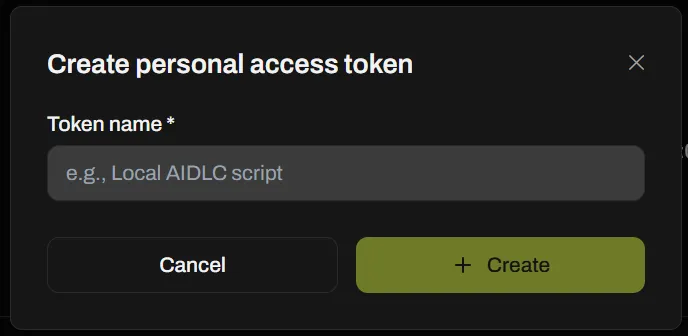
Section titled “Option A — Personal access token”- Open Profile settings.
- Create a personal access token.
- Name it (for example
Local AIDLC script) → + Create. - Copy the token once.
Option B — Team API key
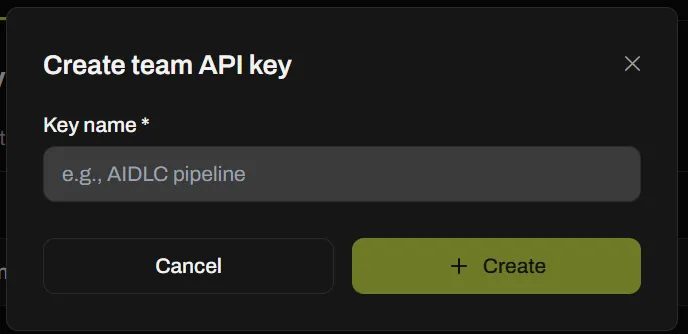
Section titled “Option B — Team API key”- Open Team → API keys.
- Create a team API key.
- Name it (for example
AIDLC pipeline) → + Create. - Copy the key once.
2. Create the webhook and copy the URL
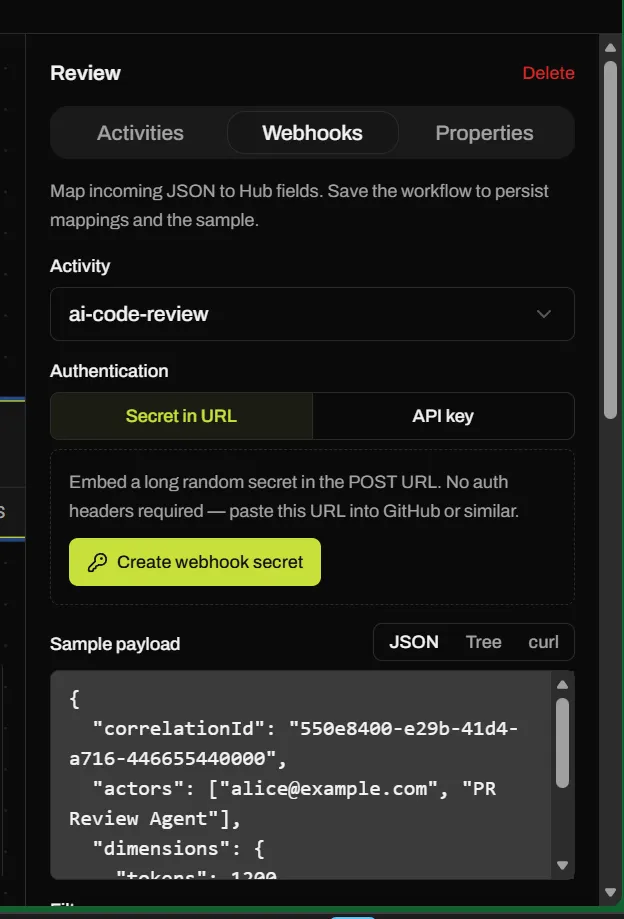
Section titled “2. Create the webhook and copy the URL”- In AI Hub, open the node that should receive metrics (for example Review).
- Open the Webhooks tab.
- Select the Activity (for example
ai-code-review). - Choose auth and copy the URL AI Hub shows (your IDs will differ):
| Auth | URL shape |
|---|---|
| API key | https://ai-hub-api.99x.io/metrics/nodes/<nodeId>/node-activities/<activityId>/events |
| Secret in URL | https://ai-hub-api.99x.io/metrics/nodes/<nodeId>/node-activities/<activityId>/<whs_…>/events |
Examples:
# API key — send X-Api-Key header (step 1 + 3)https://ai-hub-api.99x.io/metrics/nodes/nd_9lcgvLaCAP/node-activities/na_NfPIrObtec/events
# Secret in URL — secret is the whs_… segment; no auth headerhttps://ai-hub-api.99x.io/metrics/nodes/nd_9lcgvLaCAP/node-activities/na_NfPIrObtec/whs_a67b5ed1947cde1e8ef62068109f8f0bc2a95ae93bc1d20eccdb83f5ac4b8898/events- Click Create webhook secret when using Secret in URL (or create/copy for API key).
- Copy that URL into
rules.jsonas-is. Do not build node / activity IDs by hand.
3. Store the token in Xianix
Section titled “3. Store the token in Xianix”In Agent Studio → Secrets, add:
| Key | Value |
|---|---|
AIHUB-API-KEY | the personal token or team key from step 1 |
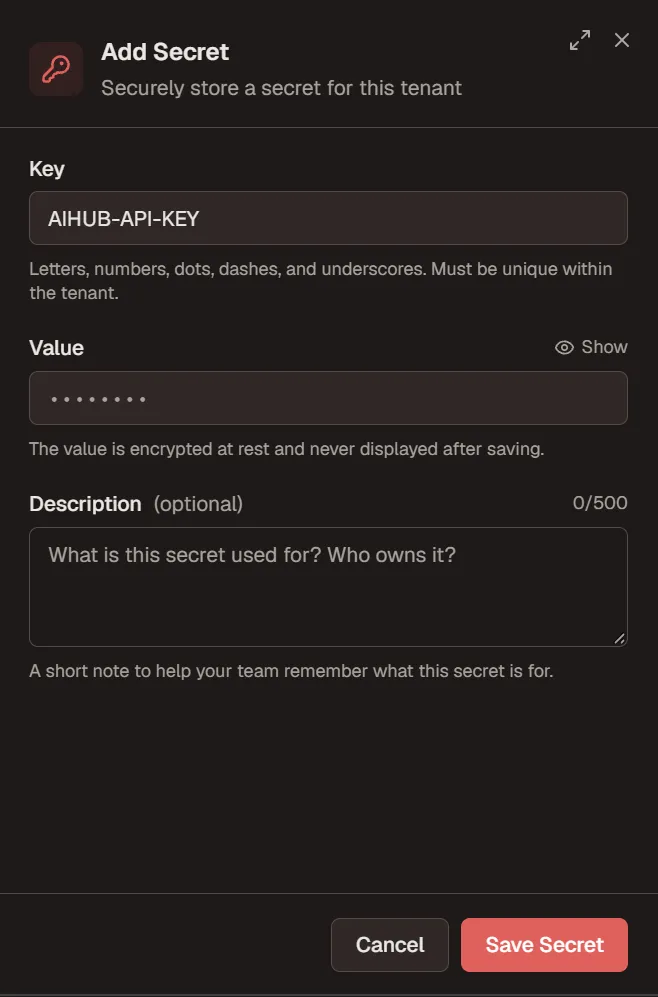
Skip this step only if you chose Secret in URL and the secret is already embedded in the copied URL.
4. Wire raise-events in rules.json
Section titled “4. Wire raise-events in rules.json”On each execution that should report to AI Hub, paste the copied webhook URL into url.
If Webhooks auth is API key
Section titled “If Webhooks auth is API key”Needs step 1 token + AIHUB-API-KEY secret. URL has no whs_… segment:
"raise-events": [ { "name": "ai-hub-metrics", "url": "https://ai-hub-api.99x.io/metrics/nodes/nd_9lcgvLaCAP/node-activities/na_NfPIrObtec/events", "with-headers": [ { "name": "X-Api-Key", "value": "secrets.AIHUB-API-KEY", "mandatory": true } ], "payload": [ { "correlationId": "{{correlationId}}", "actors": ["{{plugin-name}}"], "dimensions": { "tokens": "{{metrics.tokens.total}}", "costUsd": "{{metrics.cost-usd}}", "model": "{{metrics.model}}", "status": "{{metrics.status}}" } } ] }]If Webhooks auth is Secret in URL
Section titled “If Webhooks auth is Secret in URL”No X-Api-Key header. URL includes the whs_… secret:
"raise-events": [ { "name": "ai-hub-metrics", "url": "https://ai-hub-api.99x.io/metrics/nodes/nd_9lcgvLaCAP/node-activities/na_NfPIrObtec/whs_a67b5ed1947cde1e8ef62068109f8f0bc2a95ae93bc1d20eccdb83f5ac4b8898/events", "payload": [ { "correlationId": "{{correlationId}}", "actors": ["{{plugin-name}}"], "dimensions": { "tokens": "{{metrics.tokens.total}}", "costUsd": "{{metrics.cost-usd}}", "model": "{{metrics.model}}", "status": "{{metrics.status}}" } } ] }]Save Rules (agent scope).
5. Verify
Section titled “5. Verify”- Trigger one matching webhook execution.
- Confirm an event appears on that AI Hub activity.
Events are raised after the run finishes and are best-effort (a failed POST does not fail the run).